I Gave My Brother a Markdown File and an Agent Did the Rest
I reconfigured our Asus GX10 to run vLLM for concurrent inference. Then I shared a single markdown file with my brother so he could do the same. No pair session. No screen share. Just a document and an AI agent.
The box
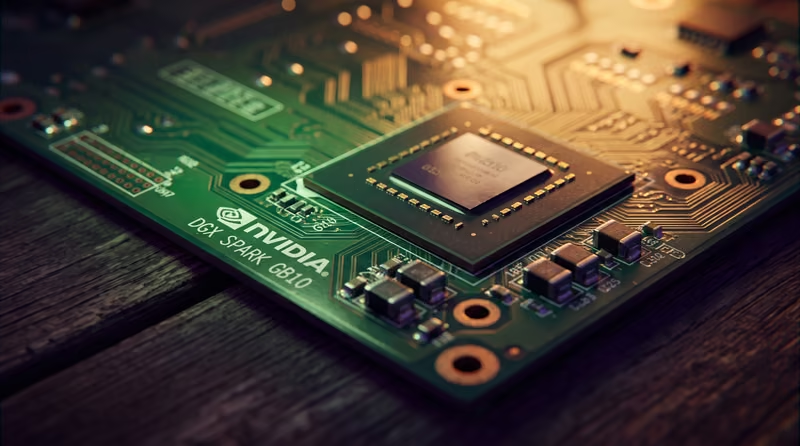
The Asus GX10 is built around NVIDIA's GB10 chip: 128 GB of unified memory, ARM64, compute capability sm_121. It is essentially a DGX Spark in a smaller form factor. The hardware is memory-bandwidth-bound, which means the right software stack matters a lot.
Our goal was high-concurrency inference: multiple AI agents hitting the same model at the same time, not waiting in line. We settled on vLLM serving Qwen3.6-35B-A3B in FP8.
Why that model? It is a sparse mixture-of-experts. Only about 3B parameters activate per token. Combined with vLLM's continuous batching, that means the memory bandwidth gets amortized across concurrent requests instead of burned on one.
The numbers on our box:
- 1 request: ~46 tokens/s
- 4 requests: ~123 tokens/s aggregate
- 8 requests: ~173 tokens/s aggregate
- 16 requests: ~168 tokens/s (plateau)
Eight concurrent streams is the sweet spot. Beyond that you just add latency.
The setup
The full setup guide is here. It covers Docker image selection, pre-staging the 35 GB of model weights, the launch script with every flag explained, verification tests for chat and tool calling and vision, and a concurrency benchmark script.
There are traps. The vLLM image's entrypoint already includes vllm serve, so adding it again doubles the command and the container dies. The Qwen3.6 model emits tool calls in XML format, so you need the qwen3_xml parser, not the legacy JSON one. Without a chat template override, the model leaks its internal reasoning into responses. The guide walks through each one.
The bug
After the initial setup we hit an intermittent 400 error: Unexpected message role.
The root cause was the model's bundled chat template. It hard-whitelists four roles (system, user, assistant, tool) and raises on anything else. Our agent framework sends developer role messages (the OpenAI o1+ style instruction messages that many frameworks now use). The llama.cpp box in our primary pool tolerated it. The vLLM box did not. Since vLLM was the backup upstream behind a load balancer, only overflow requests failed, which made the bug look random.
The fix was a one-line patch to the chat template: render unknown roles as normal ChatML turns instead of throwing. The full writeup is here.
Sharing it
Once everything was stable, I copied the two markdown files (the setup guide and the fix writeup) and sent them to my brother. He fed them to his AI agent with a simple instruction: set this up on my box.
The agent read the markdown, ran the Docker commands, staged the weights, created the launch script, applied the chat template patch, and verified the endpoint. I did not pair with him. I did not jump on a call. I sent a document and the agent handled the rest.
That is the part that still feels new. You write instructions as markdown, the same format you would use for internal docs or a README, and an agent executes them on a real machine with a GPU. No hand-holding. No "make sure you run this before that." The agent reads the document, understands the dependencies, and does the work in order.
The setup takes about 6–7 minutes on first boot (weight load plus CUDA graph capture). After that the box is ready: a single OpenAI-compatible endpoint on port 8000 with chat, tool calling, and vision all working on the same model.
If you have a DGX Spark or GB10 and want to run the same stack, the guides are linked above. They work.