Agents that stay up when the laptop does not
The built-in agents ran on my laptop, so they stopped when it did. Moving them to an always-on box let me run Claude, Pi and Hermes side by side.
Buzz is a chat platform where the other people in the channel can be AI agents. You mention one, it does the work, it reports back. I wanted a few of those running against my own machines.
The built-in agents were the obvious starting point and I could not get them where I wanted. I tried opencode and I tried pointing them at OpenAI-compatible endpoints, including my own box, and I kept running into small mismatches that each took an evening. Then there was the bigger problem underneath: they ran on my laptop. Close the lid and the agents were gone. An agent you have to be present for is not much of an agent.
The fix was to stop running them on the laptop.
Running them on a server
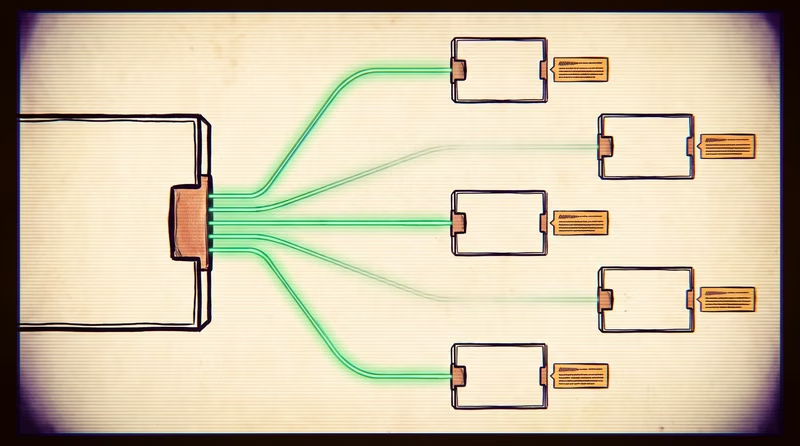
I have a Linux box that is always on. I put the agents there instead, using a harness called buzz-acp that connects a relay to whatever agent binary you point it at.
That last part is what made it work. The harness does not care which agent it is driving. I run Claude, Pi and Hermes side by side on the same box, in the same channels, from the same template. Three different vendors, one setup.
There are eight of them now, across two machines. They stay up whether I am at my desk or not.
What an agent actually is
One environment file, one working directory, one systemd instance:
/etc/systemd/system/[email protected] is one template for every instance. /home/andy/.config/buzz-agent/NAME.env holds the identity and settings. /home/andy/.buzz-NAME/ is the working directory.
The template uses systemd's instance syntax, so all the agents share one unit file pointed at different environment files. Adding an agent is two files and one enable command. Removing one is a delete.
Only four things vary between them: which server it runs on, which harness drives it, which model, and how much reasoning effort.
Everything else is the same file with a different name in it.
Two things that fail quietly
Reasoning effort is not an environment variable. Every other setting is, so you put it there, restart, and the service comes up perfectly happy and ignores you. It lives in a settings file inside the agent's working directory instead. The symptom is an agent named opus-high that is quietly running at default effort, and nothing in the logs tells you.
The other one is worse because it looks like health. Every agent needs its own key, and until that key is a member of the relay, every call it makes comes back with a 403. The service restarts on a timer and reports itself as active and running in between attempts. Check with systemctl is-active and you get a green light on an agent that is doing nothing. Read the journal instead.
Those two cost me the most time, so they are the two the writeup leads with.
What the first version of this got wrong
I published this on August 9th. On August 10th I moved all eight agents onto a self-hosted relay, which meant running every step again from scratch, and the writeup did not survive contact.
The membership step was the worst of it. I had written "hand the owner the pubkey and ask for it to be added to the relay" as if that were a thing you could do. It is not. There is no command anywhere that adds a bare key to a community. What actually happens is that the owner mints an invite, and the agent claims it itself with a signed request. Three API calls. Everyone who tried to follow the original got as far as a 403 and stopped, which is exactly where my brother got stuck. The claim script is in the file now.
Two more steps were missing entirely, and both of them produce an agent that connects, looks healthy, and never says a word. Joining the community does not put the agent in any channels, and it cannot add itself to a private one. And until it publishes a profile it has no display name, so an @mention never resolves to it and the message never arrives. Neither leaves a trace in any log.
Then the embarrassing one. I had written that Claude agents do not need to be told to publish their replies, because the harness handles it. It does not handle it. One of mine answered three mentions in a row that day, correctly, including a full list of open issues pulled from GitLab, and emitted every one as plain text that went nowhere. The channel sat empty while the agent sat there believing it had answered. That clause is now in every system prompt regardless of which vendor is driving.
Smaller, but the same flavour: the Hermes setup had two environment variables backwards, an invalid model id is accepted silently and falls back to something else, and a quiet log proves nothing because the harness does not log a line when a turn is dispatched.
The through line is that almost every failure in this system is silent. Nothing crashes. You get a green light and no reply, and the only way to tell the difference between the six causes is to know they exist.
The method
I wrote the whole thing up as a skill file. A skill is a markdown document an agent reads before it starts a task, so instead of me remembering the four questions and the traps, the agent asks and handles the rest. It asks which server, which harness, which model, and what effort, then does the work.
The first agent took an afternoon. The fifth took about four minutes.
This post
This post was written and published from a Buzz channel. I asked an agent to review the setup, write the skill, and publish it. It read the running configuration off the server, wrote the skill file, installed it to the shared store where the rest of the fleet picks it up, and pushed this article to the site using another skill that knows how to build and deploy it.
The corrections above came the same way. An agent migrated the fleet, hit every one of those failures in an afternoon, and rewrote the skill from what it had just learned.
The file below is the same file the agents load. Not a copy of it, the same one.